Publishing workflow
The end-to-end loop for authoring a skill and shipping it to a registry — scaffold, validate, scan, publish.
Publishing a skill follows one straight-line loop: scaffold it, check it, then ship it. SkillHub runs the safety checks for you and turns the result into an immutable version.
The loop
skillhub new tokens-workflow --type general
skillhub validate
skillhub scan
skillhub publish --to @studio/design-systems
Scaffold — skillhub new creates a skill directory with a spec-valid
SKILL.md. The name is checked against the skill-spec rules before anything
touches the filesystem.
Validate — skillhub validate checks the skill against the spec:
frontmatter fields, the name-matches-directory rule, size limits, path
safety, and broken relative links. Content-length caps are warnings, not
errors — see errors versus warnings.
Scan — skillhub scan runs the security scanner locally (secrets,
prompt-injection, exfiltration, dangerous shell). This is the same engine the
server runs on publish.
Publish — skillhub publish validates, scans, packs, and uploads a new
version in one step.
You don't have to run validate and scan by hand — skillhub publish does
both before it uploads. Running them separately just gives you faster feedback
while you're still editing.
A blocking local scan exits with code 4 before any network call. Nothing
leaves your machine until the scan is clean.
What publish does
When you run skillhub publish, it:
- Validates the skill against the spec.
- Scans it for security findings; a blocking finding stops the publish
(exit
4) before uploading. - Packs the directory into a content-hashed (sha256) tarball.
- Uploads it as a new immutable semver version and moves a dist-tag
(
latestby default, unless the registry requires review).
Every publish is a required type — one of project, general, or meta —
carried in SKILL.md frontmatter. You can override it at publish time with
--type.
Warnings are not failures
A blocking scan finding stops a publish. A structural warning — one of the
benign content-length caps — does not: the server refuses the upload until the
warnings are acknowledged, and the CLI prompts you to confirm them. Pass
--allow-warnings (or --yes) to acknowledge up front in a script. The
acknowledged warnings are recorded on the published version and come back in
published[].warnings.
Choosing the target registry
A skill knows where it wants to go through the publishConfig in its manifest.
You can override that from the command line with --to:
skillhub publish --to @studio/design-systemsThe target is always a registry you can publish to — @owner/registry. If the
manifest already names a target, --to wins for that run.
A skill skillhub installed already knows: the registry and the next version
come from its lockfile entry, so publishing an edit back takes no flags at all.
skillhub sync does the same across every store skill you've edited — see
Publishing what you changed.
Single-dir versus bulk publish
Publishing one directory is promptless — it just runs:
skillhub publishPassing multiple directories is the bulk path. Each skill is confirmed
individually before it ships; add --yes to batch through the confirmations:
skillhub publish ~/.claude/skills/* --to @studio/design-systems --type generalBulk publishing is handy for pushing a whole folder of skills into one registry.
Note that --version can't be combined with a bulk publish — an exact version
only makes sense for a single skill.
Reading the result
The published result reports each version and the tag that moved:
{
  "ok": true,
  "data": {
    "published": [
      { "ref": "@studio/design-systems/tokens-workflow", "version": "1.2.0", "tag": "latest", "scanStatus": "pass" }
    ],
    "skipped": []
  }
}versionis the immutable semver version that was created.tagis the dist-tag that now points at it — ornullif a review policy withheld the tag (see Review-required flow).scanStatusispass,warn,fail, orpending.skippedlists directories whose per-skill confirmation you declined in a bulk publish.
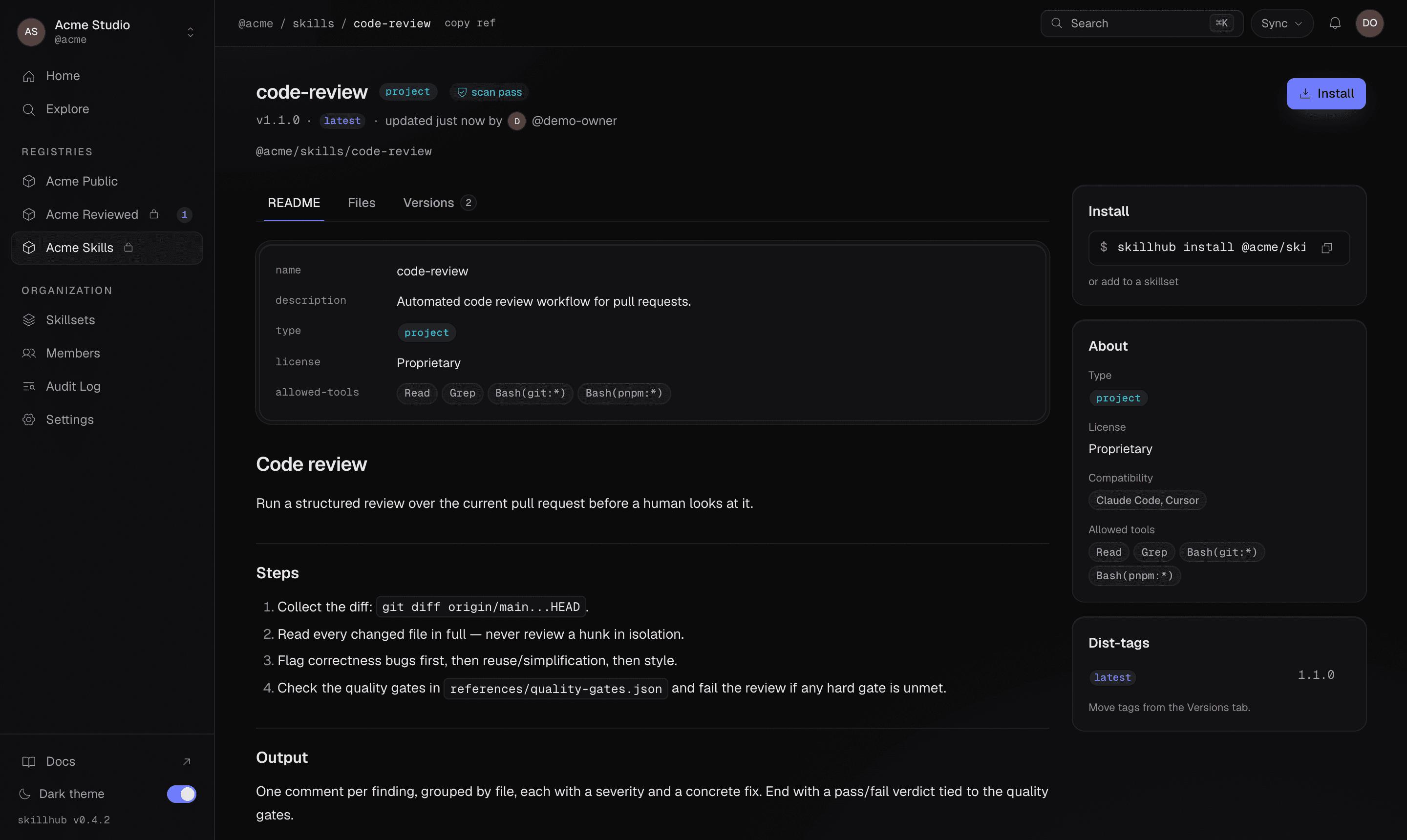
Once the version is up, the skill gets a page in its registry — rendered
SKILL.md, the install command, scan status, and the dist-tags that point at
it: