Versions & dist-tags
How immutable semver versions and mutable dist-tags work, how to set them, and how installs resolve ranges versus channels.
Every publish creates an immutable version. Dist-tags are the mutable pointers that name the channels people install from. Understanding the split is the key to a clean release process.
Immutable versions
Each publish produces a content-hashed (sha256) tarball snapshot at an exact
semver version. Once published, a version never changes — the bytes behind
@studio/design-systems/tokens-workflow@1.2.0 are frozen forever. History is
linear per skill: no branches, no merges, just an ordered list of versions.
The skill's own description is not part of that snapshot. It follows whichever
version the release tag points at, so publishing a version that takes latest
updates the description shown in registry listings, in search results and on the
skill page. Correcting a description therefore means shipping a new version
rather than editing a published one. A prerelease, or a publish under a channel
tag such as --tag beta, leaves the description in place, as does a release
awaiting review on a registry that gates latest.
Because versions are content-hashed, installs can verify the exact bytes they resolved match what the registry recorded.
Setting the version
The version comes from your SKILL.md metadata by default. Override it for a
single publish with --version:
skillhub publish --version 2.0.0 --to @studio/design-systems--version can't be combined with a bulk multi-directory publish — an exact
version only makes sense for one skill at a time.
Dist-tags
A dist-tag is a named, movable pointer to a version. The common ones are
latest and beta, and you can create custom tags too. Tags are how consumers
subscribe to a channel without pinning to an exact version.
By default, a successful publish moves latest to the new version. Point it
somewhere else with --tag:
skillhub publish --tag beta --to @studio/design-systemsTo move a tag onto an already-published version, use skillhub tag:
skillhub tag @studio/design-systems/tokens-workflow@1.2.3 latest
skillhub tag @studio/meta/changelog-writer@2.1.0 beta
The result reports where the tag landed and where it pointed before:
{
  "ok": true,
  "data": {
    "ref": "@studio/design-systems/tokens-workflow",
    "tag": "latest",
    "version": "1.2.3",
    "previousVersion": "1.2.2"
  }
}
On a registry that requires review, publishers can only move prerelease tags —
promoting a version to latest is an admin action. See
Review-required flow.
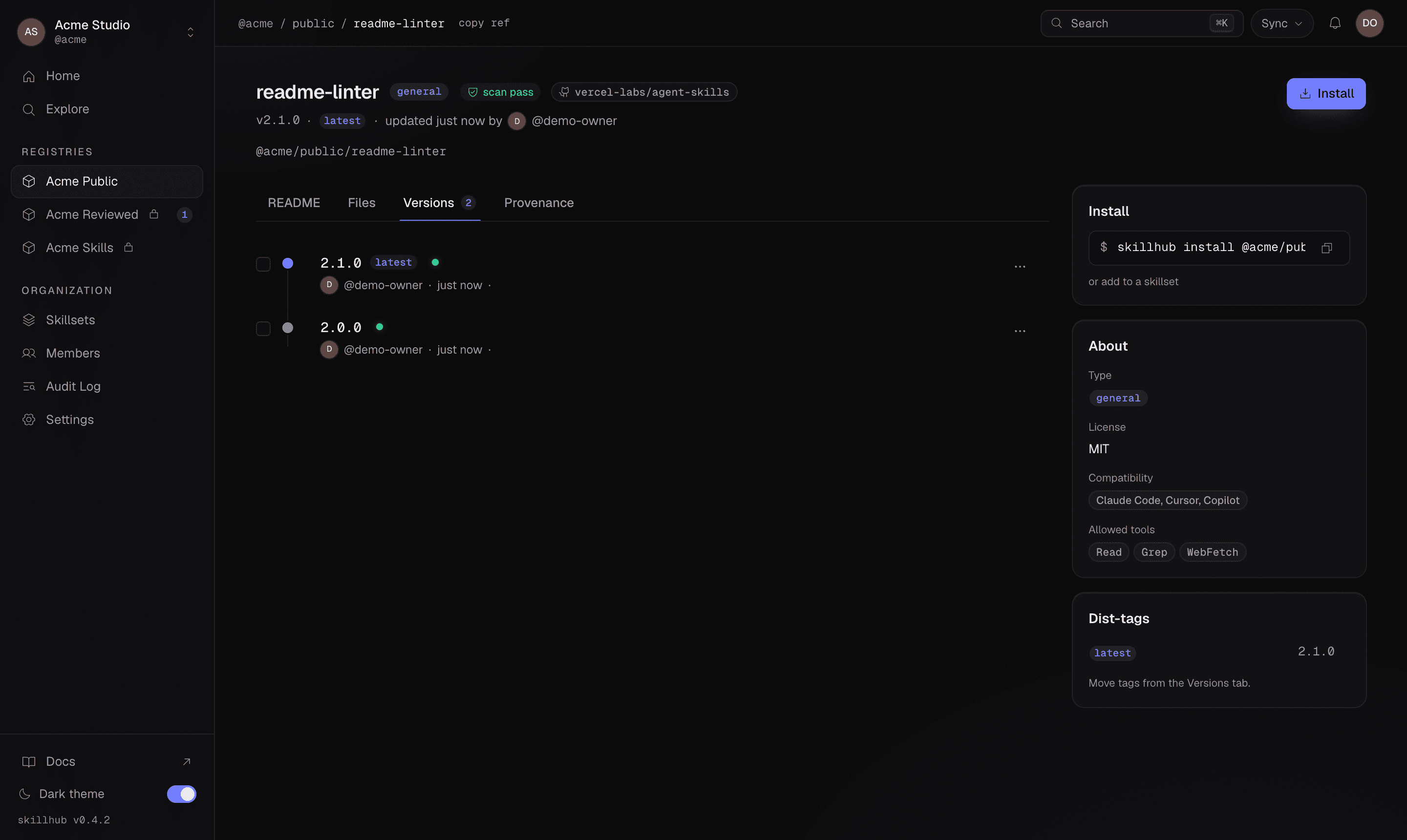
The skill page mirrors this split: the Versions tab lists every immutable version on a timeline with the dist-tags that currently point at each one.
How installs resolve versions
When someone installs your skill, they resolve either a dist-tag or a semver range:
- A dist-tag (
@beta) tracks a channel — it follows wherever the tag moves. - A range (
@^1.2.0) tracks the newest version inside the range. - An exact version (
@1.2.0) or--pinlocks to one version that never moves without explicit action.
skillhub install @studio/design-systems/tokens-workflow@beta
skillhub install @studio/design-systems/tokens-workflow@^1.2.0
skillhub install @studio/design-systems/tokens-workflow@1.2.0 --pin
This is why the version/tag split matters: publishing a new version doesn't
break anyone until you move a tag or they widen a range. You can ship 2.0.0
under beta, let it settle, then promote it to latest when you're confident.
A typical release cadence
Publish the next version under a prerelease tag:
skillhub publish --version 2.0.0-rc.1 --tag beta --to @studio/design-systemsLet beta subscribers try it.
When it's ready, promote it to latest:
skillhub tag @studio/design-systems/tokens-workflow@2.0.0-rc.1 latest