Registries & org publishing
Choosing a publish target, the roles you need to publish into org-owned registries, and where visibility is decided.
Every publish lands in a registry — a named collection of skills owned by a user or an organization. This page covers picking that target, the permissions you need, and where a registry's visibility is set.
"Scope" is an overloaded word. On install, scope means where skills land on
your machine — the current project (a config directory at the repo root) or the
machine-global scope (--global). On publish, the thing you choose is a
target registry, not an install scope. This page is about publish targets.
Choosing a target registry
A skill's manifest can carry a publishConfig that names its home registry.
Override it per run with --to, which takes an @owner/registry ref:
skillhub publish --to @studio/design-systemsThe owner is either a personal namespace (@pat) or an organization
(@studio). A registry ref looks like a repo path: @studio/design-systems.
Personal versus org-owned registries
- Personal registries live under your own namespace (
@pat/...). You own them outright. - Org-owned registries live under an organization (
@studio/...) and are shared with the org's members.
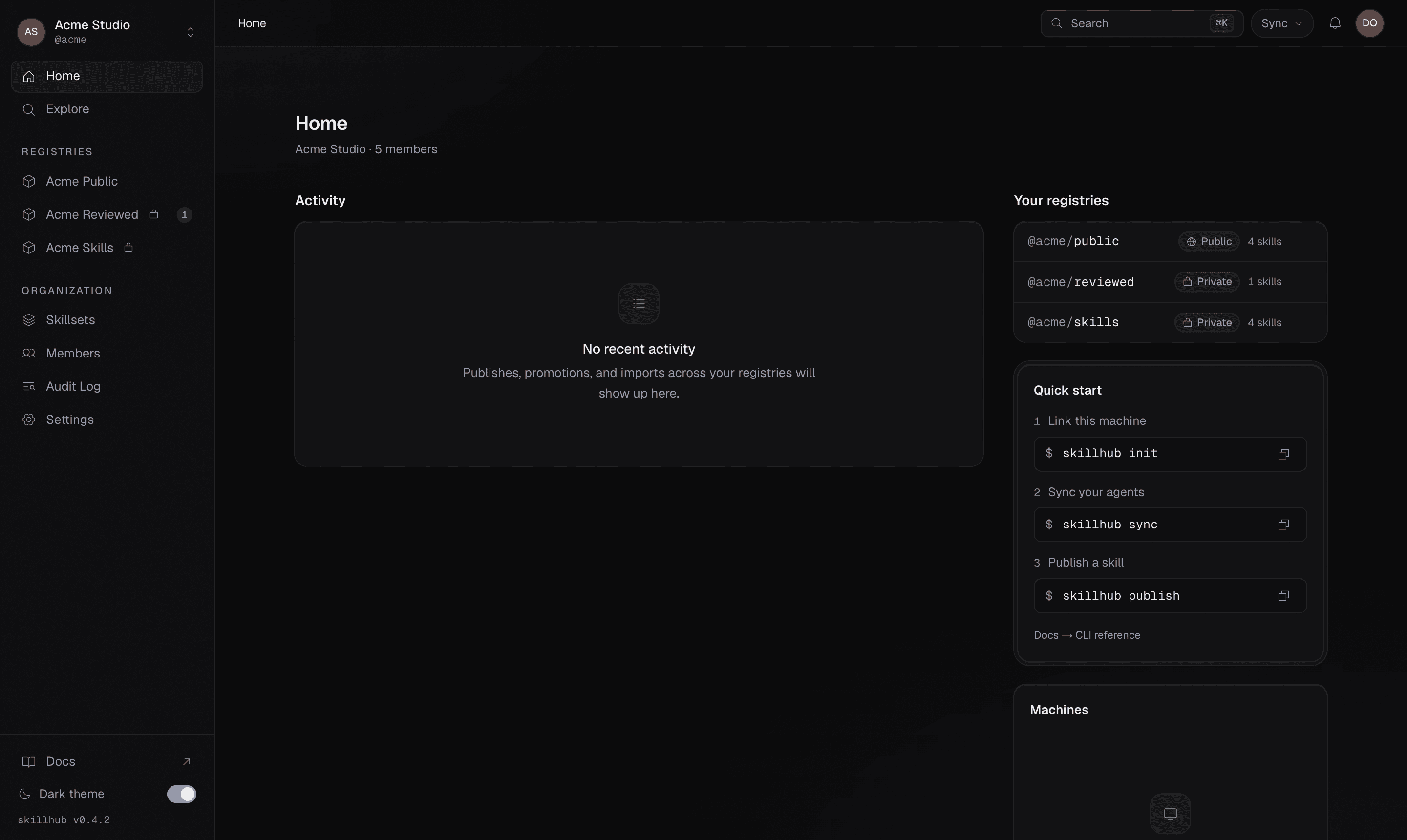
The org dashboard lists every registry you can target, alongside the quick-start CLI commands and your machines:
To create a registry to publish into:
skillhub registry create design-systems --visibility private --description "Studio design skills"Roles required to publish
Publishing into a registry needs the right registry role. The three registry roles are:
| Role | Can |
|---|---|
reader | Install and read skills |
publisher | Publish new versions and move prerelease tags |
admin | Everything, including promoting to latest on review-required registries, deprecating, and time-limited unpublish |
For an org-owned registry, members get a default role — defaultOrgRole,
one of none, reader, publisher, or admin — that flows down from the org.
An explicit grant on the registry overrides that default for a specific person.
Most people get their access by being in the org — invite them to the organization from the dashboard and the default above does the rest. To give a publisher role on one registry to somebody outside the org, invite them to that registry directly (a GitHub handle or an email address):
skillhub registry invite @studio/design-systems freya --role publisherThat grant covers the named registry only, and is currently a skillhub
operation — the dashboard's invitation flow adds people to the organization.
If you're not sure what you can publish where, list your orgs and their roles:
skillhub org listWhere visibility is decided
A registry is either private (members and invitees only) or public (world-readable, member-writable). Visibility is a registry-level property, fixed when the registry is created:
skillhub registry create public-helpers --visibility publicVisibility is not a publish-time input. There is no publish --access flag —
skillhub publish rejects it with a usage error. To change who can see a
registry, set its visibility at registry create time or from the dashboard.
Opening the dashboard
Most org and member administration lives in the dashboard; the CLI is deliberately thin. Jump straight to a registry's page:
skillhub open @studio/design-systems