Registries
Named collections of skills, owned by a user or an organization, with their own visibility, defaults, and review policy.
A registry is a named collection of skills. It is the unit you publish into, install from, and share with collaborators — think of it as a repository for skills.
Every registry is owned by either a user (your personal namespace, e.g.
@pat) or an organization (e.g. @studio). The owner and slug together
identify the registry:
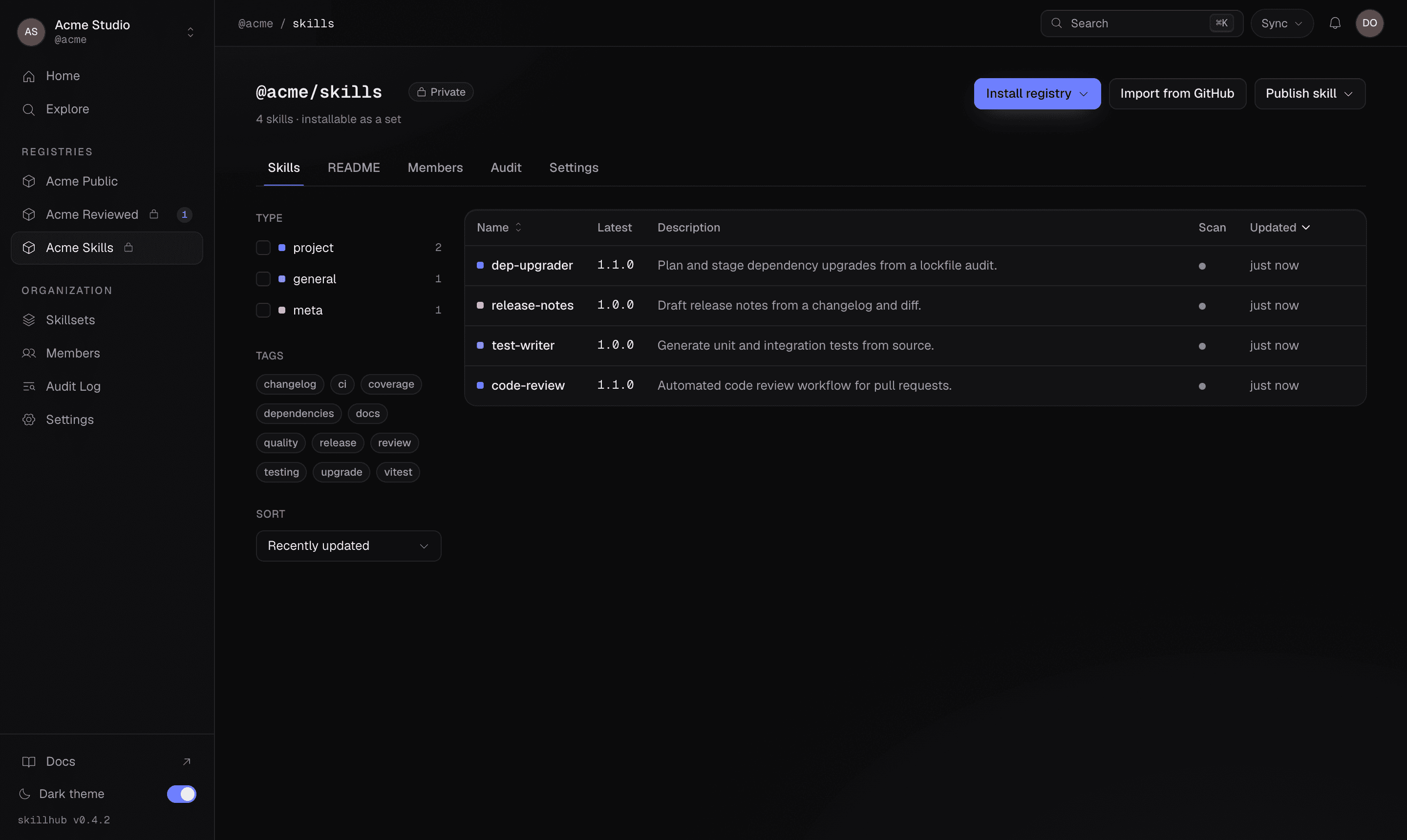
@studio/design-systemsSkills live inside a registry, and their full reference builds on it —
@studio/design-systems/tokens-workflow. A registry's page lists every skill it
holds, with versions, scan status, and tags at a glance:
Visibility
Visibility is a property of the registry, not of an individual publish. A registry is either:
- private — visible and installable only to members and invitees.
- public — world-readable, and writable by its members.
You choose visibility once, when you create the registry, and it defaults to private:
skillhub registry create design-systems --visibility private --description "Studio design skills"Registries are private by default. A new registry is visible and installable only to its members and invitees until you deliberately make it public.
There is no publish-time visibility flag. You never make a single version public
or private at skillhub publish time — the registry decides. To change how a
registry is exposed, manage it on the dashboard.
What a registry carries
Beyond its owner and slug, a registry records:
- displayName and description — how it appears in listings.
- visibility —
privateorpublic. - defaultOrgRole — for org-owned registries, the role org members inherit
here (
none,reader,publisher, oradmin). See Organizations & roles. - reviewRequired — whether promoting a version to
latestneeds an admin. See Review-required registries. - createdAt / updatedAt — timestamps.
Registries are installable as a unit
A registry isn't just a container — you can install the whole thing at once:
skillhub install @studio/design-systemsThis installs every skill in the registry and records a registry subscription in your lockfile, so skills published to it later can be picked up on the next sync. See Registry subscriptions for how following, excluding, and pinning work.
Managing registries
Create and inspect registries from the CLI:
skillhub registry list @studio
skillhub registry create design-systems --visibility private
skillhub registry invite @studio/design-systems freya --role publisher
To jump to a registry's page on the dashboard:
skillhub open @studio/design-systemsMost day-to-day registry administration lives on the dashboard — the CLI is intentionally thin.