Refs & scopes
The reference grammar for skills, registries, and external sources; version qualifiers; and project vs global install scopes.
Two ideas run through every command: a ref (what you're pointing at) and a scope (where it's installed).
Reference grammar
The same reference grammar is used across the CLI, the API, and dashboard URLs.
Registry refs
@owner/registry/skill— resolves a single skill.@owner/registry— resolves a whole registry, installing all its skills as a subscription.- A bare skill name — resolves against your configured registries. It must be unambiguous; if two registries expose the same name, qualify it.
skillhub install @studio/design-systems/tokens-workflow
skillhub install @studio/design-systems
skillhub remove tokens-workflow
External refs
You can also point at sources outside the registry:
gh:owner/repo[@ref][#skill-name]— a skill in a GitHub repository.sh:skill-slug— a skill from the skills.sh public index../path/to/skill— a local directory.
skillhub install gh:vercel-labs/agent-skills#changelog
skillhub use sh:some-slug
Direct external installs keep their upstream identity and are tracked in the lockfile with their source and content hash. They are not recorded as registry subscriptions — they're standalone entries.
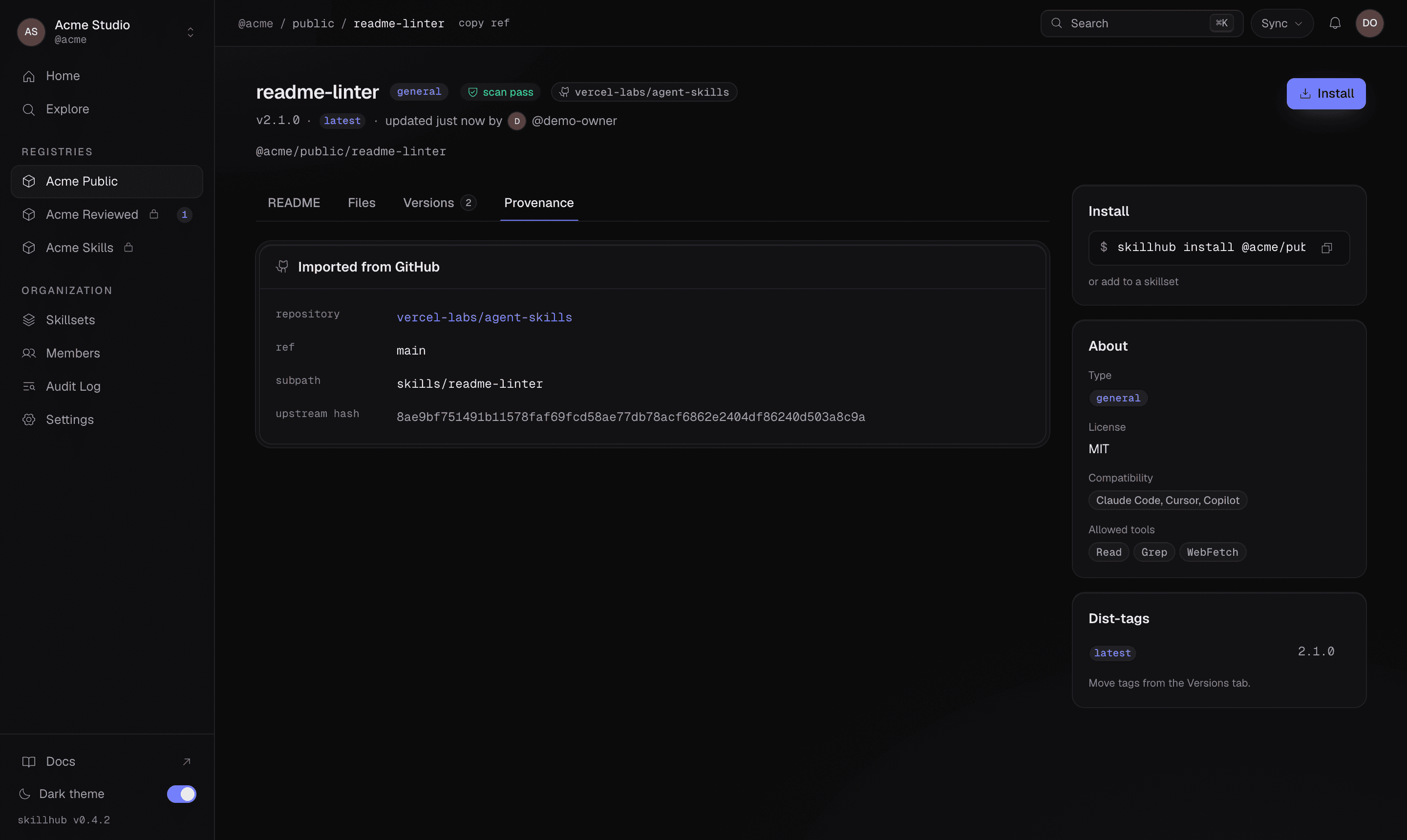
When a skill originates from GitHub, that provenance travels with it — the repository, ref, subpath, and upstream hash are recorded and shown on the skill's Provenance tab:
Version qualifiers
When a ref names a skill, you can qualify which version you get:
- Exact version —
@1.2.0, or add--pin, to lock with no range movement. - Range —
@^1.2.0tracks a semver channel. - Dist-tag —
@betatracks a named channel.
Pinned skills never move without an explicit action — that immovability is exactly what makes a pin a durable guarantee.
Scopes
A scope is the install destination:
- project — this repo. Files live in the project config directory,
.skillhub/at the repo root. - global — this machine. Files live in the per-user config directory under your home directory.
Scope-aware commands default to the project and take --global (or -g) to
target the machine-global scope instead:
skillhub list
skillhub list --global
skillhub install @studio/design-systems/tokens-workflow --global
For how the local store is laid out and fanned into your agents, see Never touch your repo.
Skillsets
Curated, cross-registry bundles that install as a unit, carry per-item config, and can be org defaults offered during bootstrap.
Review-required registries
Publishers publish prereleases only; admins promote to latest via the dashboard review queue, with the whole chain recorded in the audit log.