Install a skill
Bootstrap a project, install a skill, registry, or skillset, and watch it fan out to every agent.
This is the consumer path: get skills from a registry into a project so your coding agents can use them. Make sure you're signed in so private registries are visible.
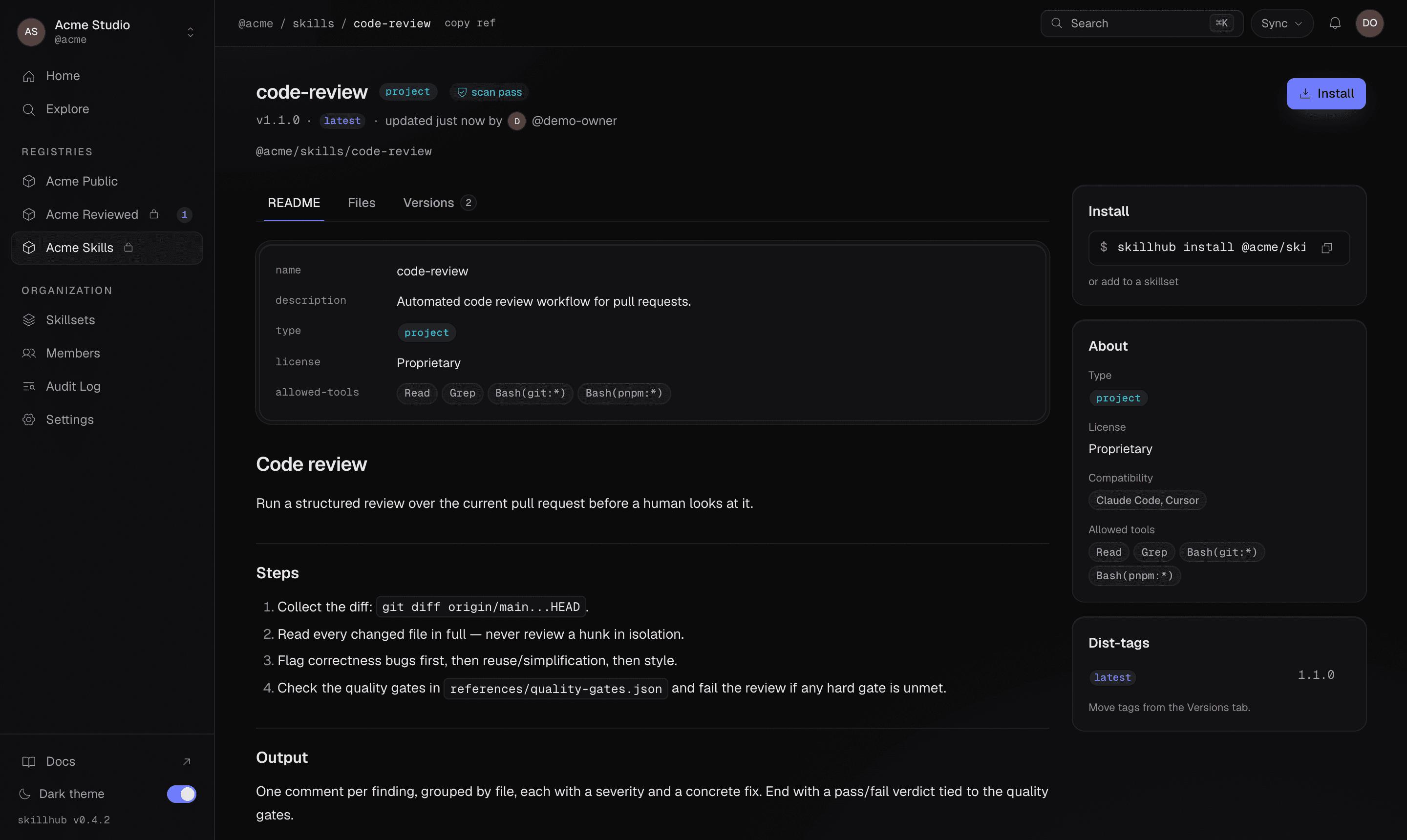
Every skill page carries the exact one-line install command, alongside its scan status, dist-tags, and agent compatibility — so you can copy the right ref straight from the web app.
1. Bootstrap the project
Run init at the root of your project. It sets everything up in one shot:
skillhub initinit creates the local project config directory (config plus lockfile), writes
a managed .gitignore block so nothing it produces becomes a stageable
change, and
detects the coding agents already installed on your machine. If you're
logged in, it can also offer your organization's default skillsets and any
project skills bound to the repo.
You can steer it with flags — for example, target specific agents or subscribe to a skillset during bootstrap:
skillhub init --agent claude-code,cursor --skillset @studio/skillsets/new-client-projectPrefer to set up skills for the whole machine rather than one project? Use the global scope:
skillhub init --global2. Install skills
Once the project is bootstrapped, install what you need. The install target can be a single skill, a whole registry, or a curated skillset:
skillhub install @studio/design-systems/tokens-workflowskillhub install @studio/design-systemsInstalling a whole registry records a following subscription, so skills published there later are picked up on your next sync.
skillhub install @studio/skillsets/new-client-projectA skillset is a curated bundle that may span registries.
Installing a whole registry records a subscription: by default it follows the registry, so skills published there later are picked up on your next sync. Learn more in Registry subscriptions.
3. How it reaches your agents
Skills install once into a canonical local store and then fan out by symlink into each detected agent's skills directory. That's why a single install shows up across every agent, and why updating once updates everywhere.
On platforms without symlinks, or when you pass --copy, the CLI copies the
skill instead — same result, just without the shared link.
See what's installed at any time:
skillhub listFresh clones: reconcile with sync
When a teammate clones a repo that already has a lockfile, they don't need to
re-run every install by hand. Running install with no arguments reconciles the
existing subscriptions and pulls everything down:
skillhub installTo keep an existing checkout aligned with its subscriptions later, use sync:
skillhub syncsync applies adds, updates, and removes within your declared version ranges and
verifies content hashes. Add --prune to drop skills the subscription set no
longer contains, or --frozen in CI to fail if the lockfile would change.
What's next
- Understand refs and scopes — how references resolve and how project vs global scope works.
- Explore skillsets for team-wide onboarding.